Every project runs on Playwright or Cucumber. You choose when you create it, and it stays that way. From there, Plum treats every run the same: detect the tests, run them in a real browser, and hand back the replay, the locators and the report.
A project's framework is set when it's created and can't change afterwards, so the repo stays consistent. Everything past that point (running, reporting, replay, nodes) is identical.

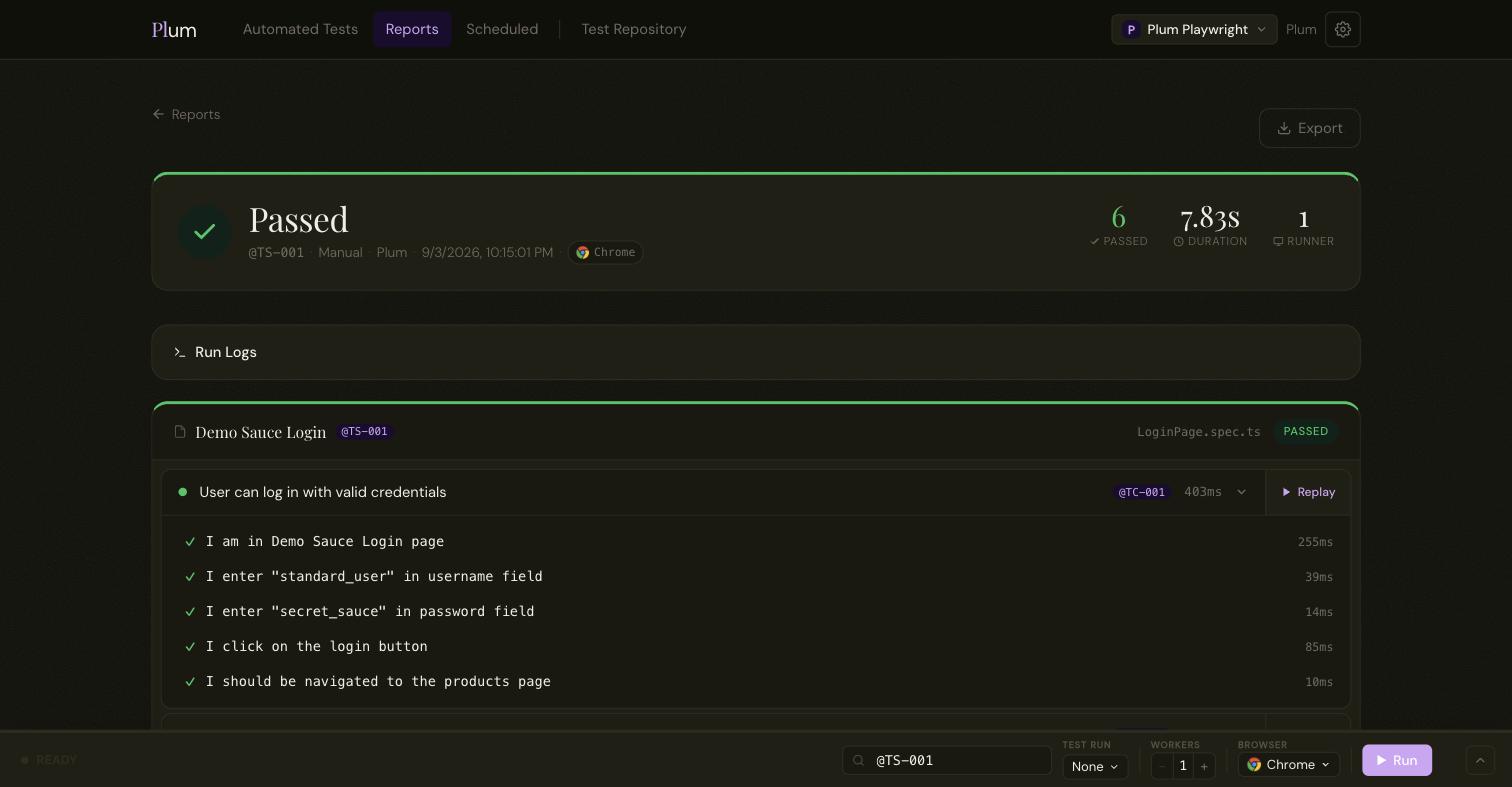
Write tests in Playwright's own API and its test runner executes them, driving Chrome or Firefox for real with the auto-waiting that keeps runs stable.

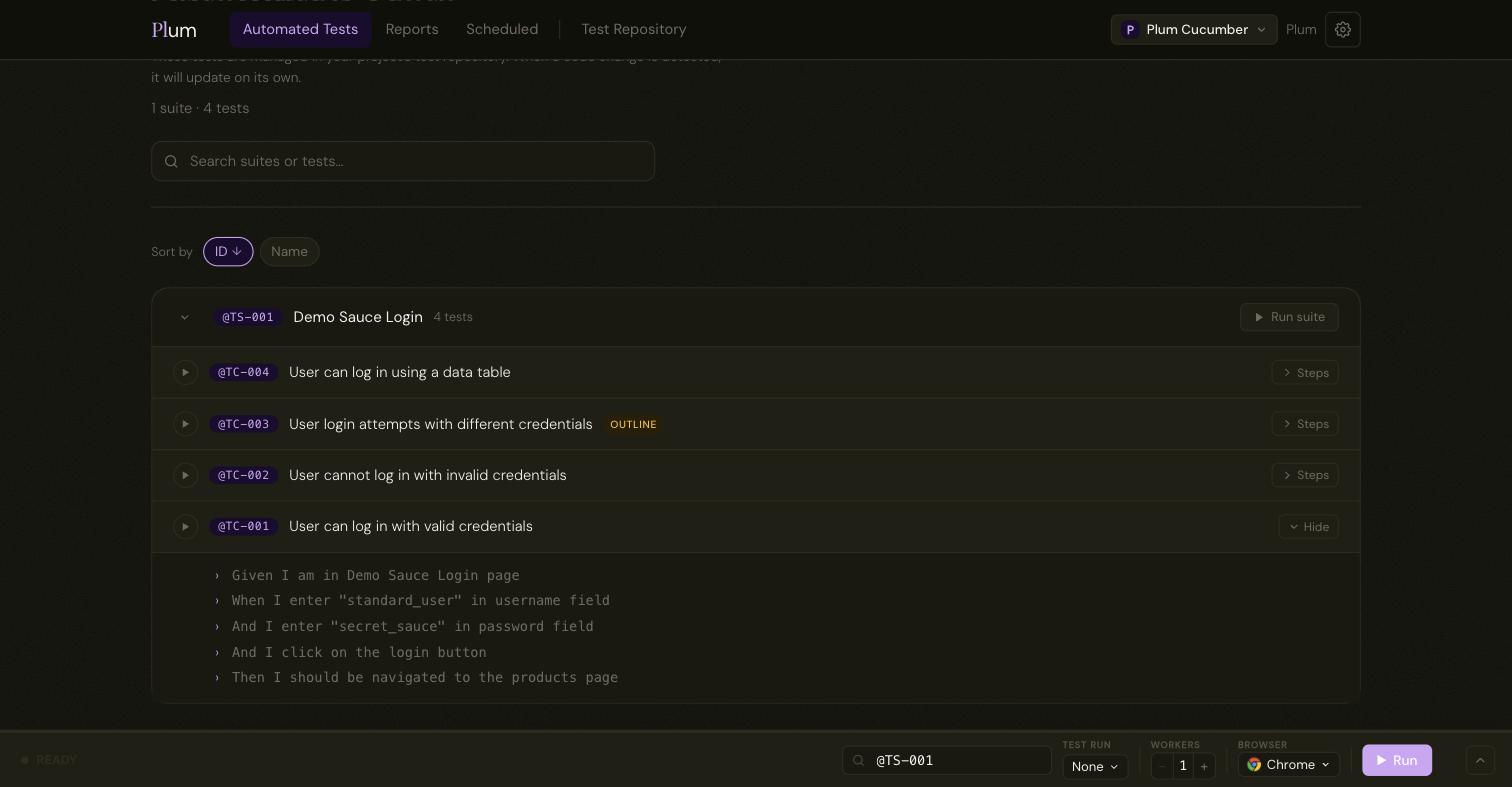
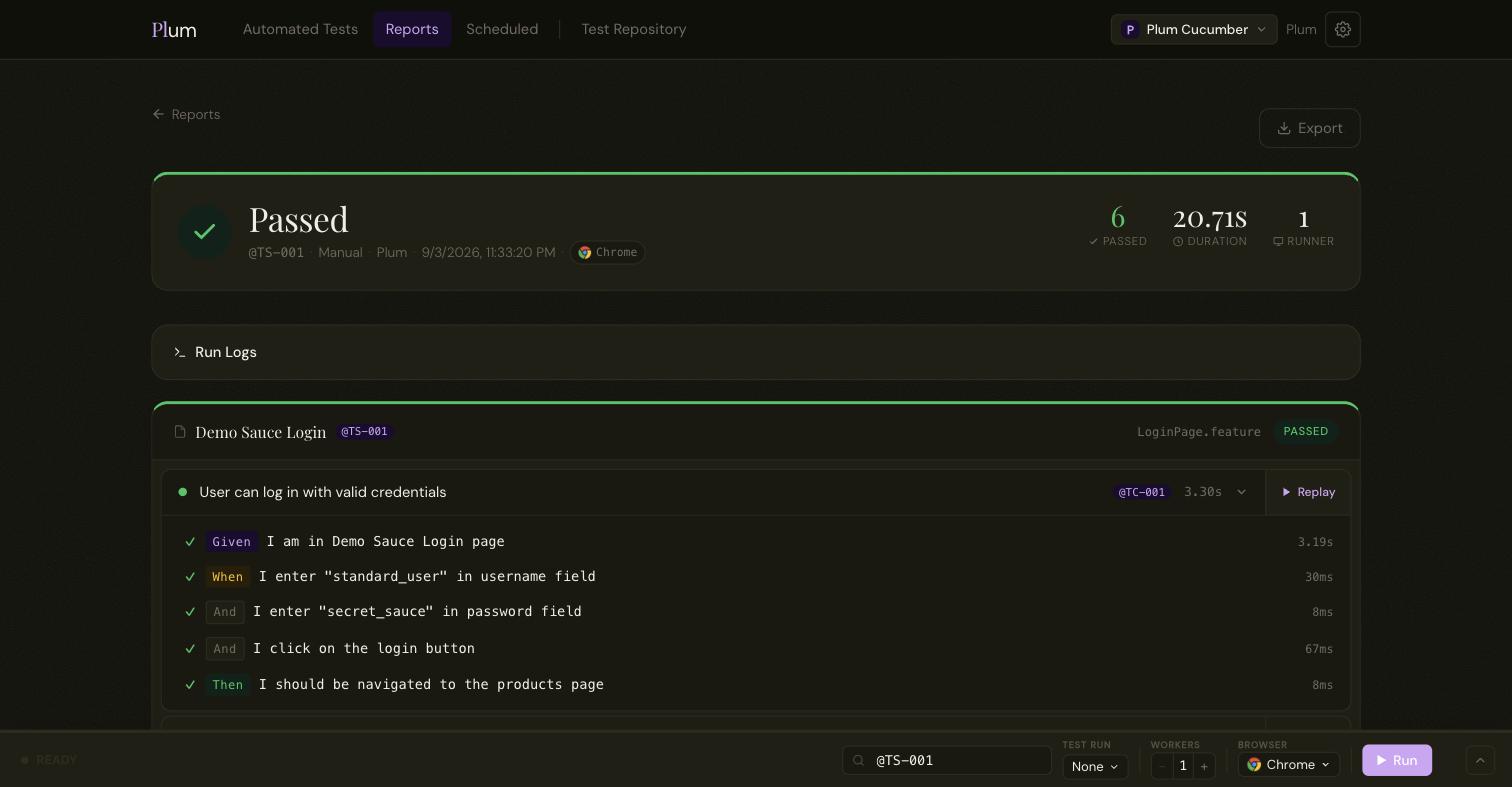
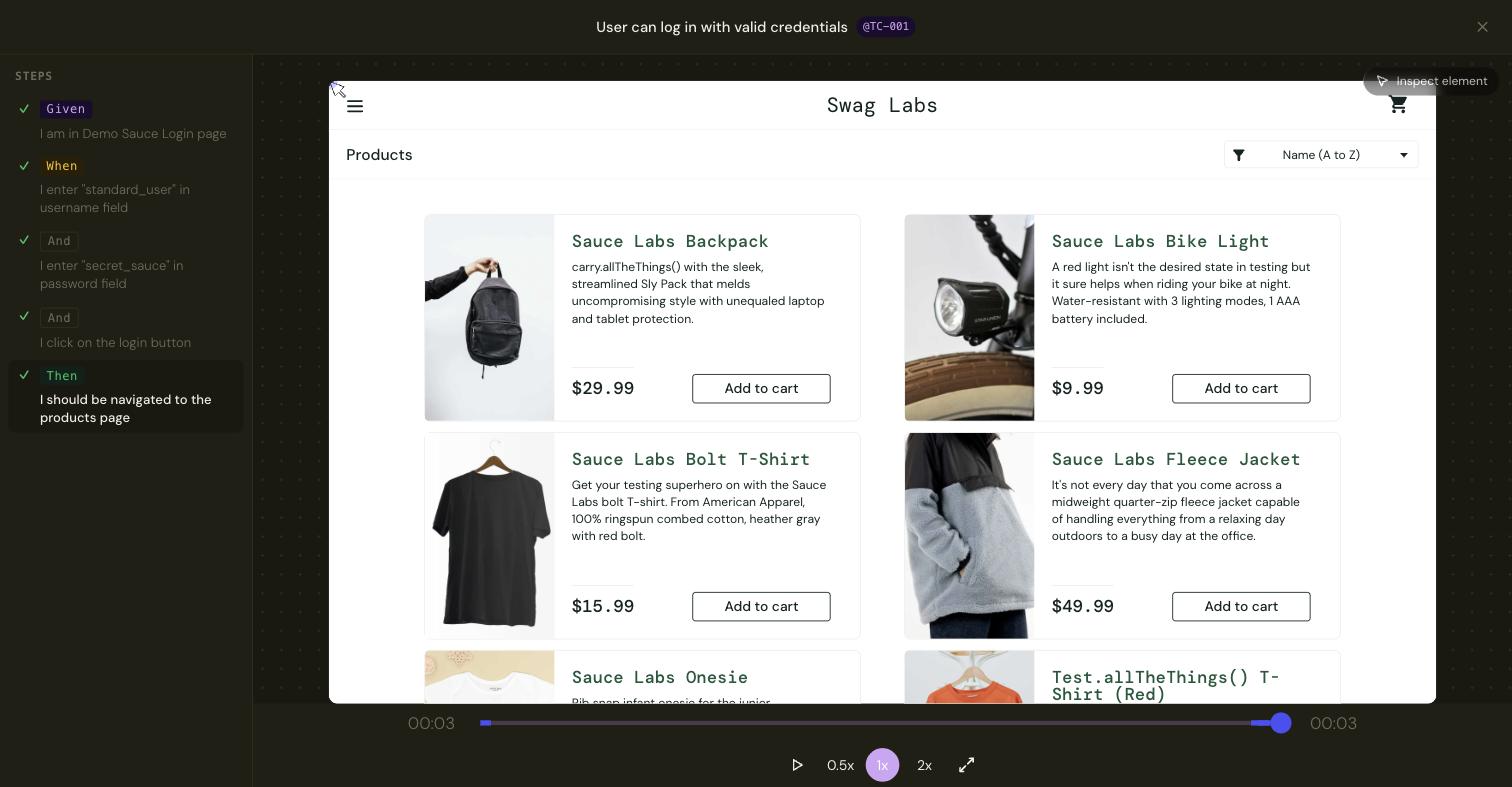
Write Given / When / Then in a .feature file. That file is the spec and the test at once, with no separate script to keep in sync.
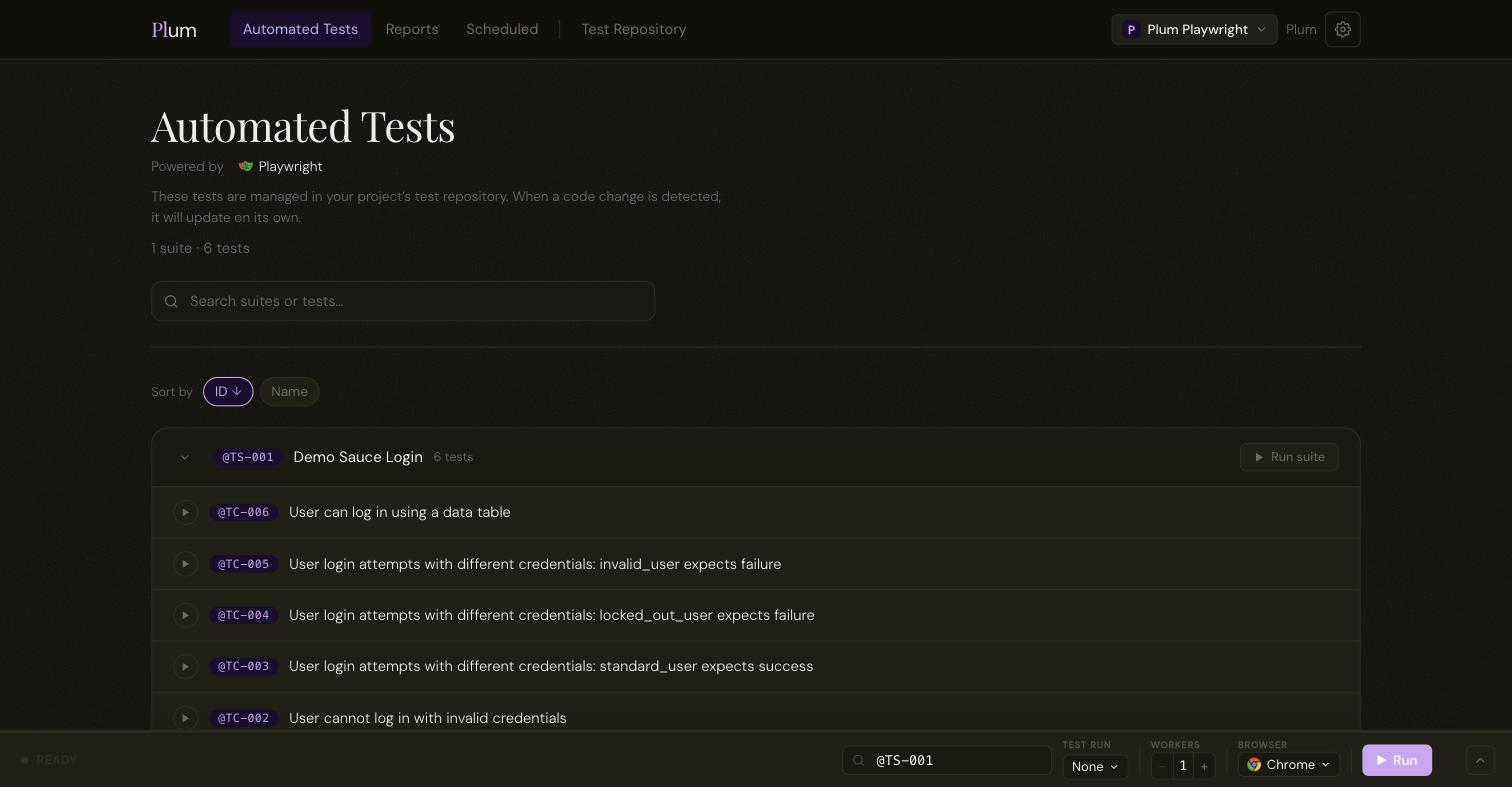
Point Plum at your project's test folder. It reads your test files (.spec for Playwright, .feature for Cucumber) and lists every test, grouped by suite. A Cucumber project shows each scenario's Gherkin steps inline. Change something in code and the list updates on its own.


The run bar sits at the bottom of every page: type a tag, pick a browser, set how many run in parallel, choose which runner, and go. The same run triggers from the CLI in your pipeline, so a per-run base URL can point each pull request at its own preview.

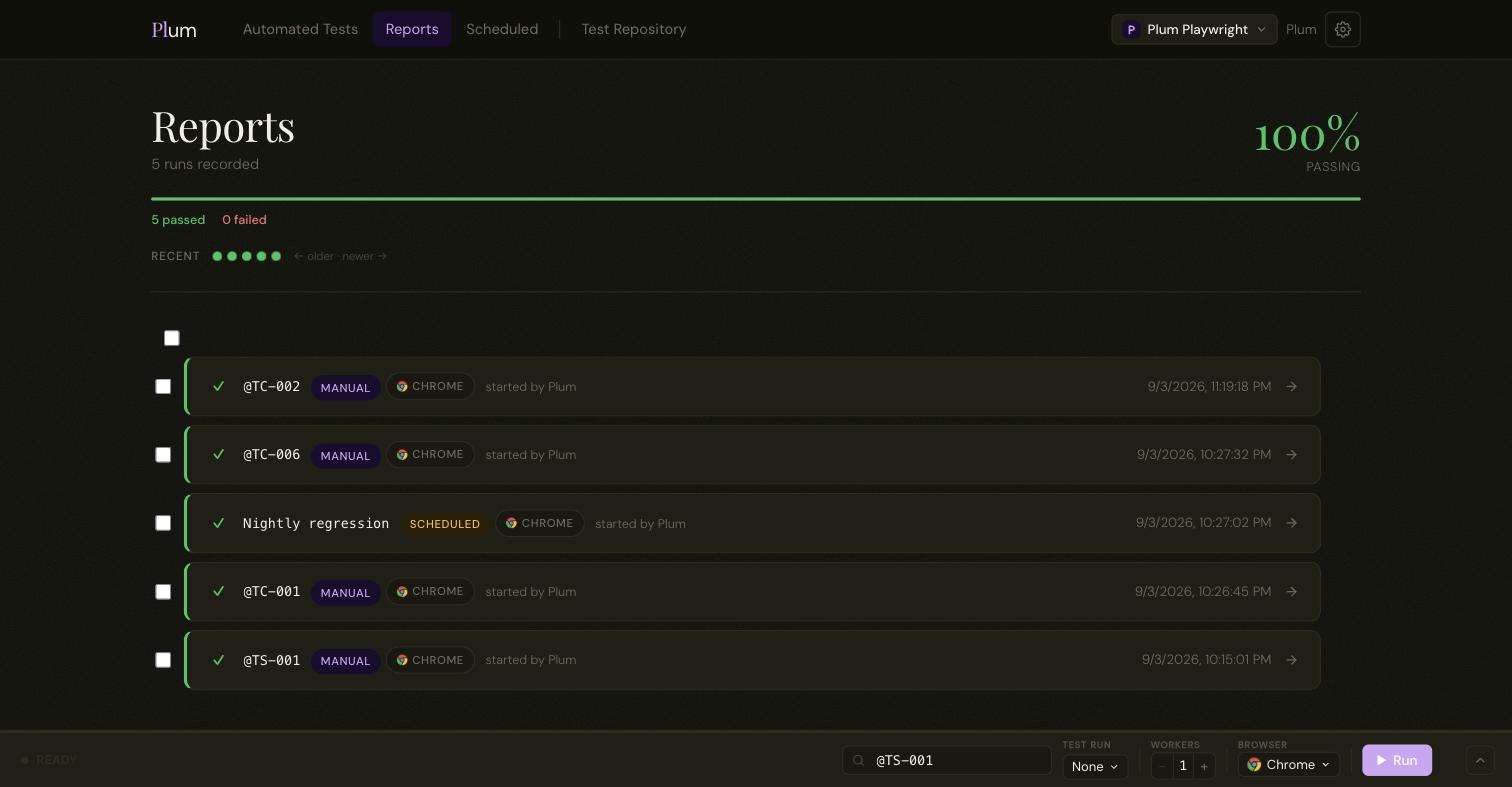
A run finishes into one readable report: pass or fail, each test, each step with its result and duration, and the run logs. A test that failed then passed on retry is marked flaky so it doesn't hide in a green run.


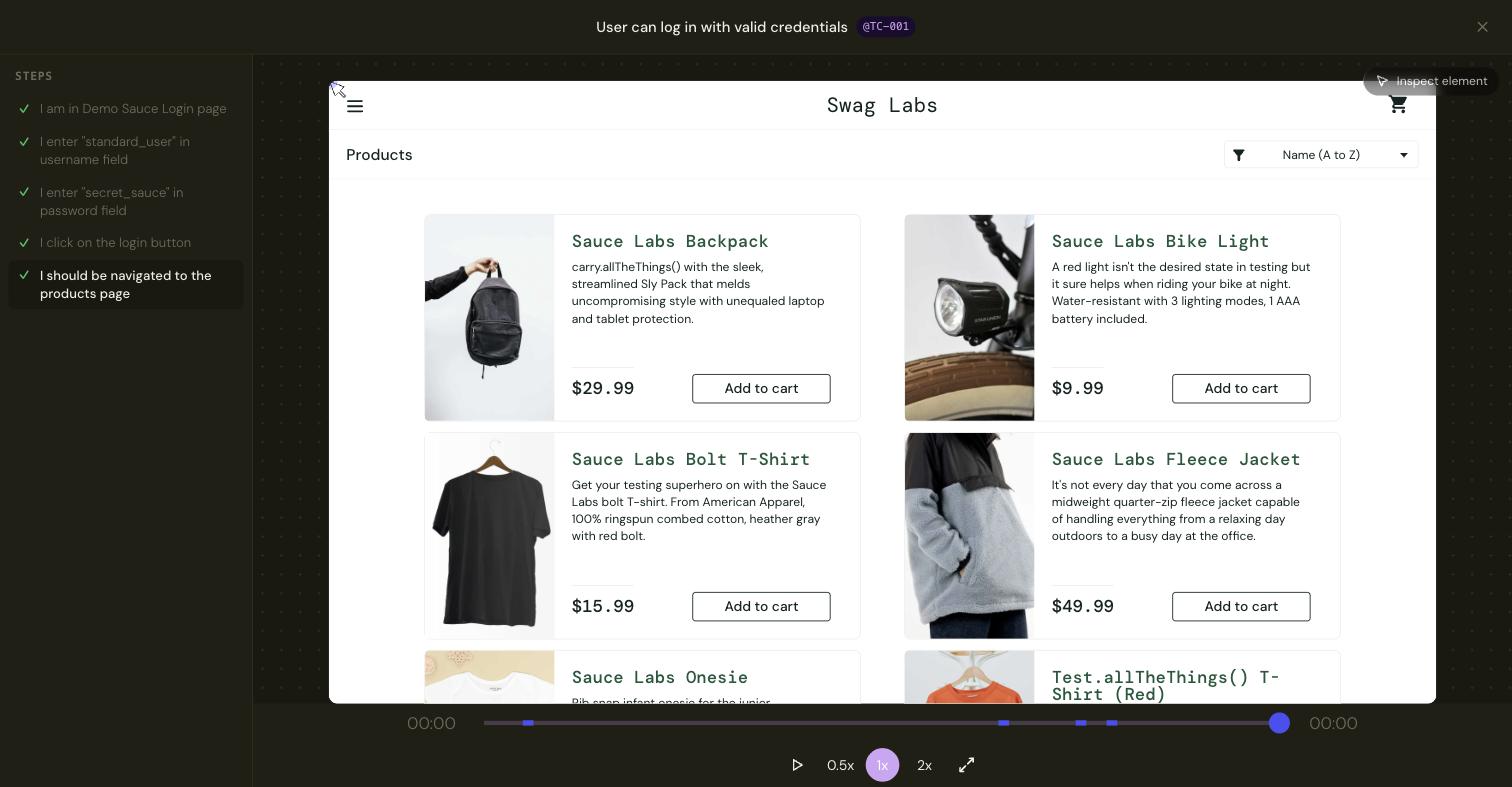
Plum records the page itself as the test runs: the DOM at every moment, not a screen capture. Scrub the timeline, or click a step in the rail to jump straight to it. When something failed, you see the exact state the browser was in.


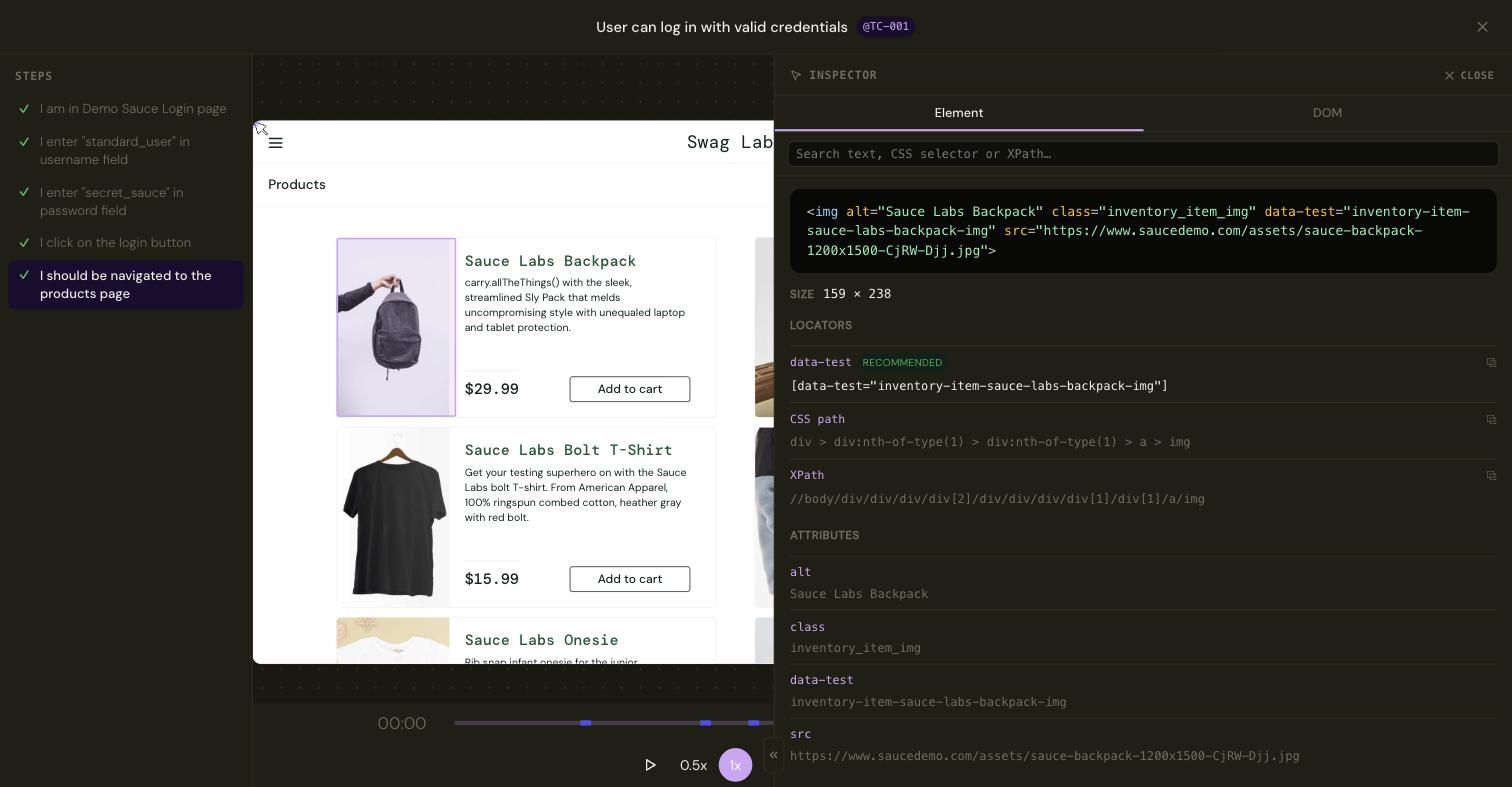
Turn on the inspector inside a replay and click anything on the recorded page. Plum shows the element's markup and a ranked list of ways to target it (data-test, role and name, CSS path, XPath), with the sturdiest one marked recommended, in Playwright's own order of preference. Copy it straight into a step.

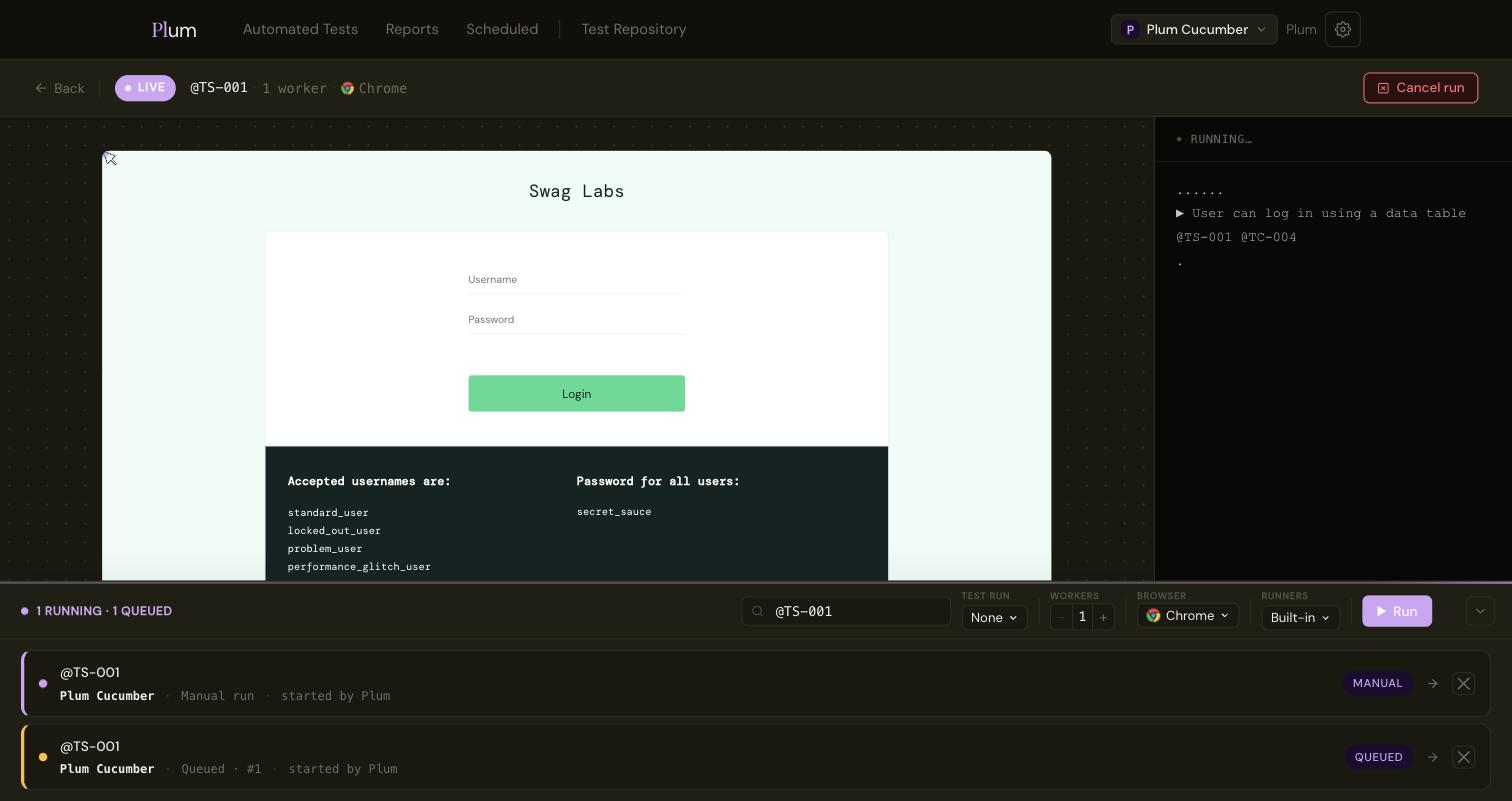
Open a run while it's still going. The browser viewport streams live next to the test output as it prints. If a run has gone wrong, cancel it from here without waiting for a timeout.

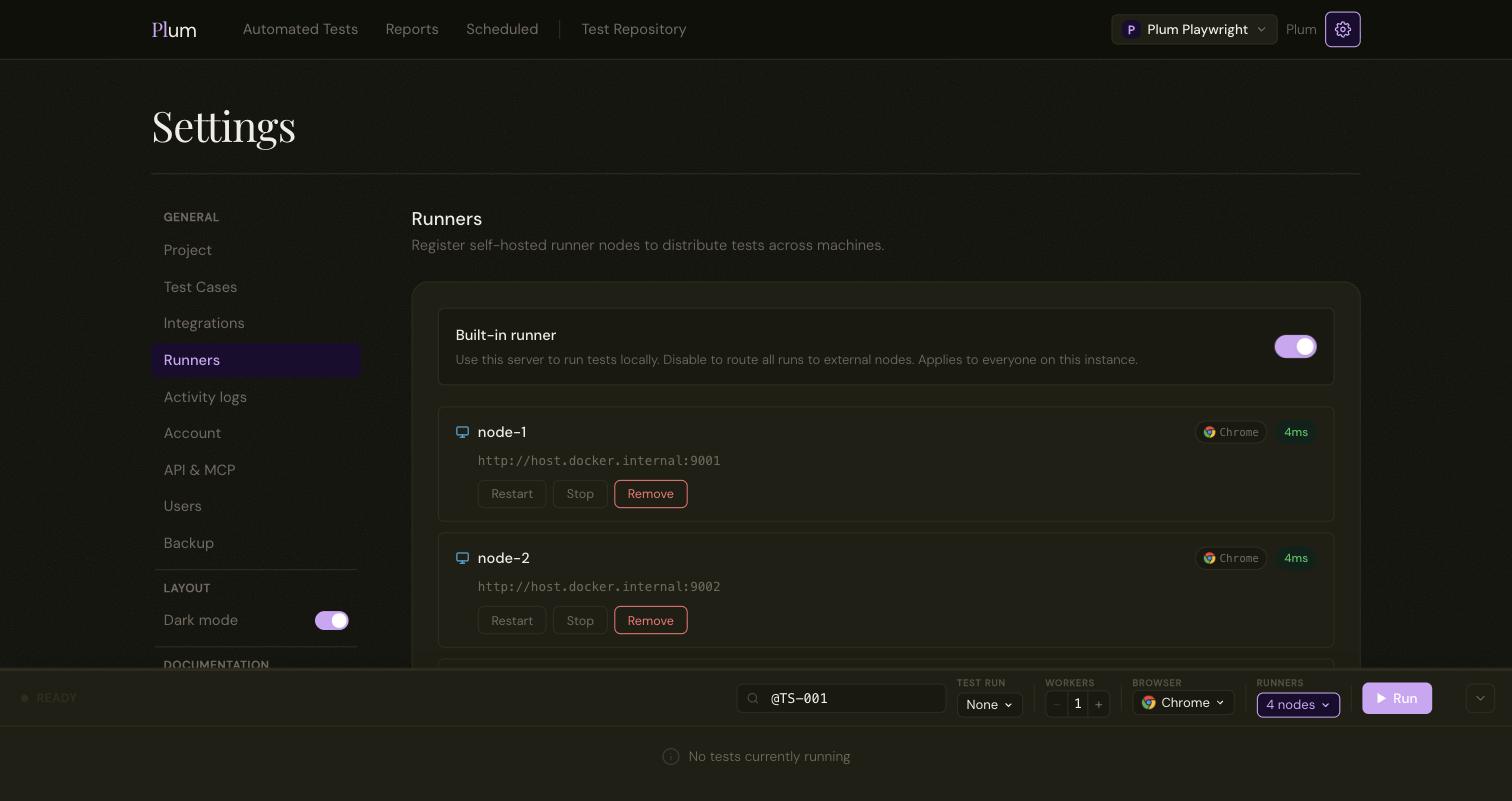
Runs use the built-in runner on the server by default. Register runner nodes on other machines and Plum distributes runs across them: a node on Windows, a node closer to your staging environment, a beefier box for the big suites. The queue serialises per node, so nothing steps on anything else.

Plum has an MCP server built in. Point Claude, Cursor or any MCP client at it with a per-project key and it does what you do in the UI: write test cases and steps, trigger a run, poll it, then read back the report, the scenario detail and the logs.
The key carries your role and stays scoped to one project. Everything the agent creates or runs is tagged (MCP), so it's all auditable.
{
"mcpServers": {
"plum-checkout": {
"type": "http",
"url": "https://plum.example.com/mcp",
"headers": {
"Authorization": "ApiKey plum_live_…"
}
}
}
}
A test is a Playwright spec, or plain Gherkin; the project decides. Either way Plum runs it, records the page, and gives you the replay, the locators and the report, all from the same screen.
test("customer completes an order", async ({ page }) => { await cart.addItem(page); await page.getByRole("link", { name: "Checkout" }).click(); await checkout.payWithValidCard(page); await expect(page.getByText("Order confirmed")).toBeVisible(); });
Feature: Checkout Scenario: Customer completes an order Given the user has an item in the cart When they proceed to "checkout" And they pay with a valid card Then the order is "confirmed"
Self-hosted, replayable, and honest about flakes.
Get started →